
User Management
User management model supports use cases from simple individual user accounts to large organizations with multiple managers, administrators and regular users.
Main user roles
- Name
Admin- Type
- role
- Description
- Superuser with full unlimited access to the whole server.
- Name
Manager- Type
- role
- Description
- User with extended capabilities allowing them to manage a subset of users and register new ones.
- Name
User- Type
- role
- Description
- Standard user that can manipulate their own assets and add new ones.
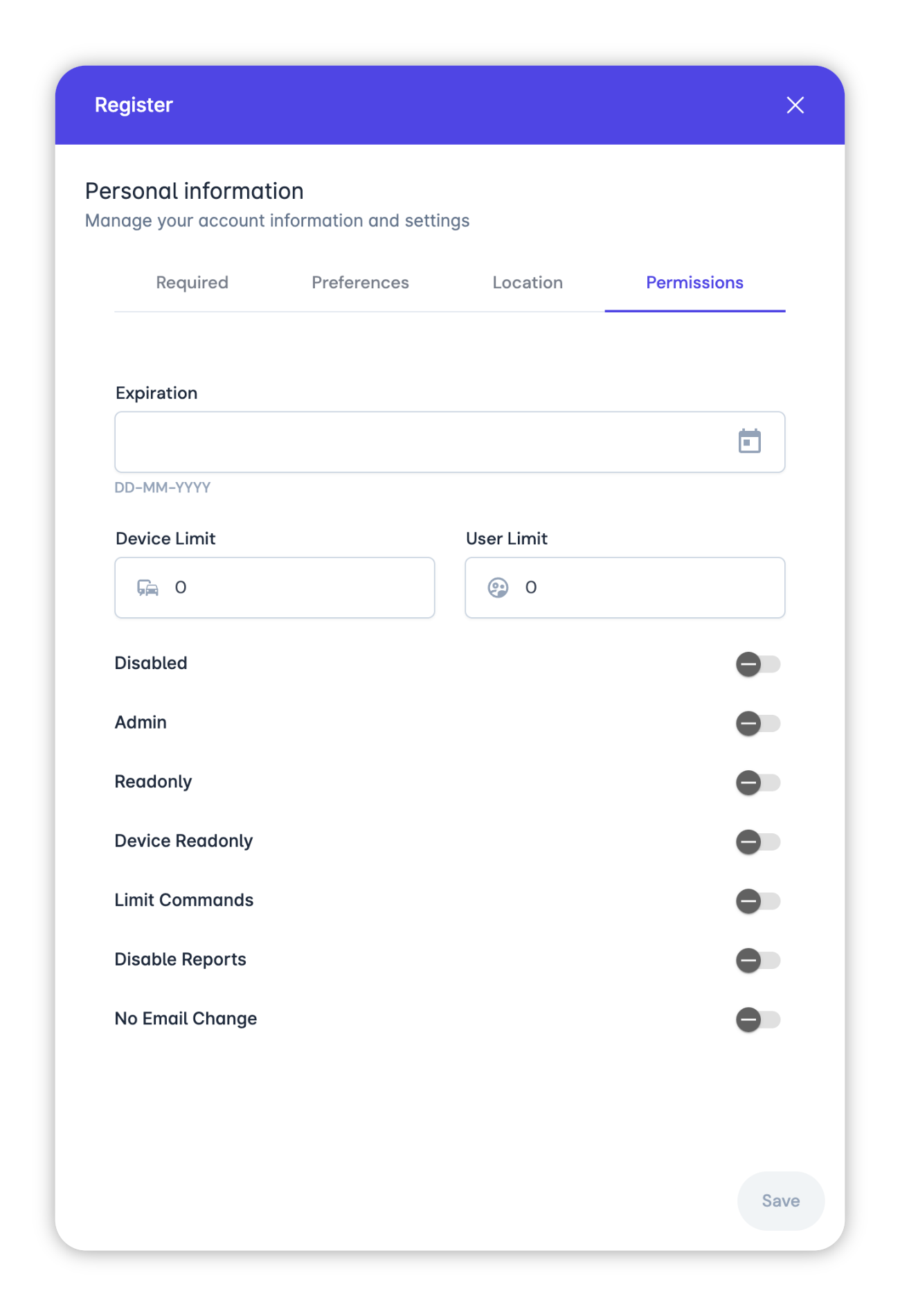
Limited user roles
- Name
Readonly- Type
- permission
- Description
- A user that cannot add/edit/remove anything in the system. They can only monitor their assigned objects. Can be useful for public/embedded access.
- Name
Device readonly- Type
- permission
- Description
- Ordinary user with a restriction on device manipulation. Other settings can be edited without limits.
User limits
- Name
Device limit- Type
- number
- Description
The limit on number of devices the user can have. The user cannot add devices more than his device limit.
If device limit is set to 0, it means that user cannot add any devices, but they can edit or remove existing ones.
- Name
User limit- Type
- number
- Description
The limit on number of users that manager can have. The manager cannot add users more than his user limit.
If user limit is set to -1, it means that the manager has no limit.
If user limit is set to 0, it means that the user is not a manager. The difference between manager and regular user is in their user limit value. A manager has the user limit not equals to 0.
User created by a Manager will always have 0 value for both limits.
Self registered users will have device limit set to -1 or value from server config users.defaultDeviceLimit.
- Name
Expiration time- Type
- string - datetime
- Description
- The time after which the user cannot login into the system.
- Name
Disabled- Type
- boolean
- Description
- User cannot login if they are disabled.
Manager can edit these fields for the users they has access to, with one restriction. If manager has expiration time, they cannot set other users expiration time later than their own.
Another important restriction is that only an administrator can unlink devices from themselves.
Embedded or public view
Start with creating user:
- Register a new user
- Make the user
readonly - Generate a
tokenfor the user
Now the user can login using the token in URL. For example: https://platform.onemap8.com?token=ABCDEFGHIJKLMN.
Platform as a service
Service administrator can create one Manager user for every client, set User limit and Device limit according to the subscription. For example, 5 users and 50 devices. They can also set Expiration time to limit subscription period.
In the example above, the client can add 5 users and 50 devices, link devices to users, create and link groups, geofences and everything else within the specified limits.
Manager's device limit will work for the whole client because client users can add new devices if only administrator explicitly allowed it.