
Events and Notifications
Onemap8 supports a number of different event types. Most events are generated on the server side based on the data reported by devices. There is a special alarm event type, which represents events directly reported by devices.
Each user can configure notifications for certain types of events. Notifications can be sent using one or multiple channels, like email, push notifications, SMS and other. A notification can be enabled for all devices or linked to individual devices or groups of devices. Events are generated and can be accessed using events report even if no notifications are configured for a certain device and type of event. Notifications can be configured in the settings menu:
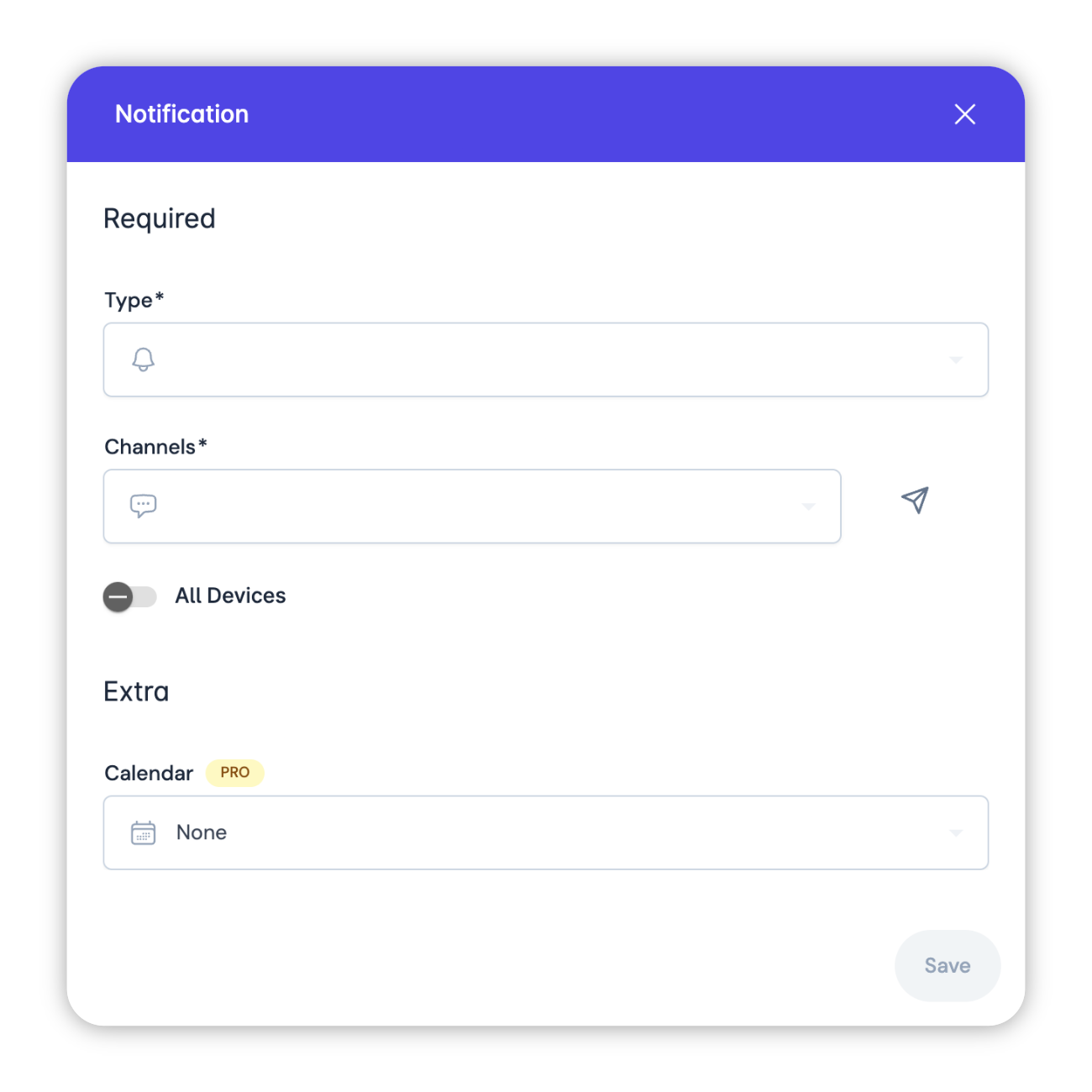
Notification channels
By default, Onemap8 has Web and Email notification channels enabled. To add or remove channels you need to edit the configuration file.
See notifications configuration for more details.
It is also possible to limit notification times using a Calendar.
Event types
- Name
Command Result- Type
- event
- Description
- A result of a command execution on the device. Support for results varies by protocol. Result details are stored in the result attribute.
- Name
Status Online- Type
- event
- Description
- Device is connected to the server. This event type is not associated with a position.
- Name
Status Unknown- Type
- event
- Description
- Device is connected, but has not reported any data for a period of time. It can also indicate that the device has not closed the connection gracefully.
- Name
Status Offline- Type
- event
- Description
- Device has disconnected from the server.
- Name
Device Inactive- Type
- event
- Description
- Device has not reported any location data for a very long period of time. This event needs to be explicitly enabled using deviceInactivityStart and deviceInactivityPeriod attributes. Device Moving Device is moving. For more details on the logic see the motion documentation.
- Name
Device Stopped- Type
- event
- Description
- Device has stopped. For more details on the logic see the motion documentation.
- Name
Speed Limit Exceeded- Type
- event
- Description
- This event is generated when a device exceeds the configured speed limit. The threshold value can be set using device, group or server speedLimit attribute.
- Name
Fuel Drop- Type
- event
- Description
- Sharp fuel level drop over fuelDropThreshold. Device has to support fuel level for this event to work.
- Name
Geofence Entered- Type
- event
- Description
- Device has entered a geofence area. The geofence has to be linked to a device or a group of devices.
- Name
Geofence Exited- Type
- event
- Description
- Device has exited a geofence area. The geofence has to be linked to a device or a group of devices.
- Name
Alarm- Type
- event
- Description
- This event type represents any device-reported events/alarms. There are a large number of subtypes. Some alarms might duplicate events, but those are generated directly on the device vs events that are generated on the server side. See the section below for some alarm examples.
- Name
Ignition On- Type
- event
- Description
- Ignition value has changed from off to on. This event requires the device to continuously report the ignition value. Ignition value has changed from on to off. This event requires the device to continuously report the ignition value.
- Name
Maintenance Required- Type
- event
- Description
- Event for periodic maintenance. It requires a special maintenance configuration in the settings. Maintenance schedule can be linked to a device or a group of devices.
- Name
Driver Changed- Type
- event
- Description
- This event is generated when the driver id changes. Driver identification has to be reported by the device. Just linking a driver in settings is not enough.
- Name
Media- Type
- event
- Description
- Event indicating that the device has uploaded some media data. It can be an image, a video or an audio file. Support varies by protocol.
Alarm types
List of the most commonly used alarms. The list is not exhaustive.
- Name
General- Type
- alarm
- Description
- A generic case when the device does not specify the type of alarm.
- Name
SOS- Type
- alarm
- Description
- Panic alarm. This type of alarm is usually generated by a button press on the device, but depends on the specific device model.
- Name
Vibration- Type
- alarm
- Description
- Usually this alarm is generated when a stationary device starts moving. Often it is based on the accelerometer sensor in the device.
- Name
Overspeed- Type
- alarm
- Description
- Speeding alarm. It is similar to the speed limit exceeded event, but generated on the device, so it can be more accurate if your device supports it.
- Name
Low Power- Type
- alarm
- Description
- External power supply voltage is low.
- Name
Low Battery- Type
- alarm
- Description
- Internal battery level is low.
- Name
Geofence Exit- Type
- alarm
- Description
- Similar to the server event, but generated on the device, so it can be more accurate if your device supports it.
- Name
Tampering- Type
- alarm
- Description
- The device is being tampered with. It usually indicates that someone has opened the device casing, but sensor type and trigger depends on the specific device model.