
Map Layers
Onemap8 web app supports multiple map layers, including popular providers like OpenStreetMap, Mapbox and many others. By default we use LocationIQ vector map, which is based on OpenStreetMap data.
Some map options are disabled by default and some require an API key. To enable map layers check Active Maps under the map section on the preferences page:
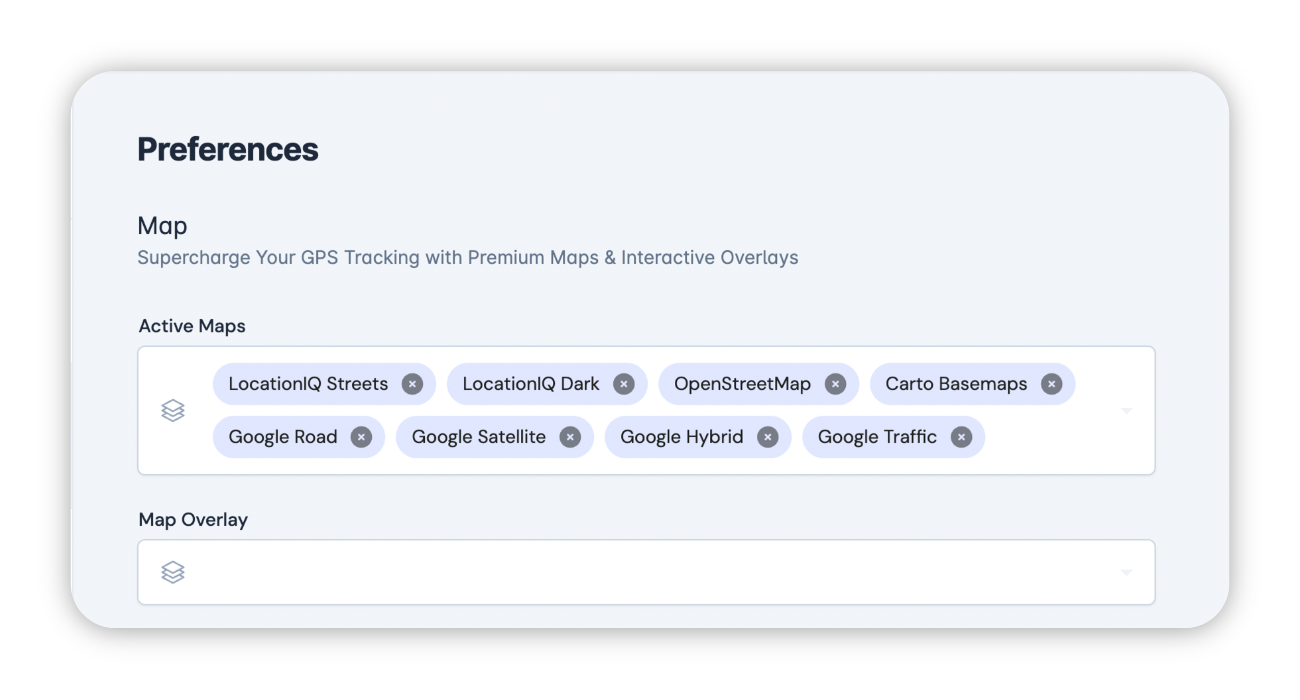
It is also possible to set map layers and keys globally in the server attributes.
Custom Map
Using custom layer it is possible to use any standard tile server with Onemap8. For example, it is possible to use a offline or locally hosted map. There are also many third party services that provide various tile options that can be utilized using custom map.
To enable custom map, set custom map in the server settings. It has to be a special URL with x, y and z placeholders.
Examples of custom map URLs:
- Google Maps with traffic
https://mt0.google.com/vt/lyrs=m,traffic&hl=en&x={x}&y={y}&z={z}&s=Ga - ArcGis Topo
https://services.arcgisonline.com/ArcGIS/rest/services/World_Topo_Map/MapServer/tile/{z}/{y}/{x}.png - ArcGis Imagery
https://services.arcgisonline.com/ArcGIS/rest/services/World_Imagery/MapServer/tile/{z}/{y}/{x}.png