
Computed attributes
Computed attributes allow dynamic position attributes modification.
Most common use cases for computed attributes:
- Map generic inputs and outputs to specific values (for example,
ignitionvalue from a generic input) - Calculate a value on the server side based on other attributes (for example,
fuel consumptionfrom an odometer value)
Computed attributes are applied to all incoming positions of a linked device.
The order in which computed attributes are applied to the device is not defined. It is therefore not recommended to use the result of one computed attribute in another computed attribute.
Computed attribute fields
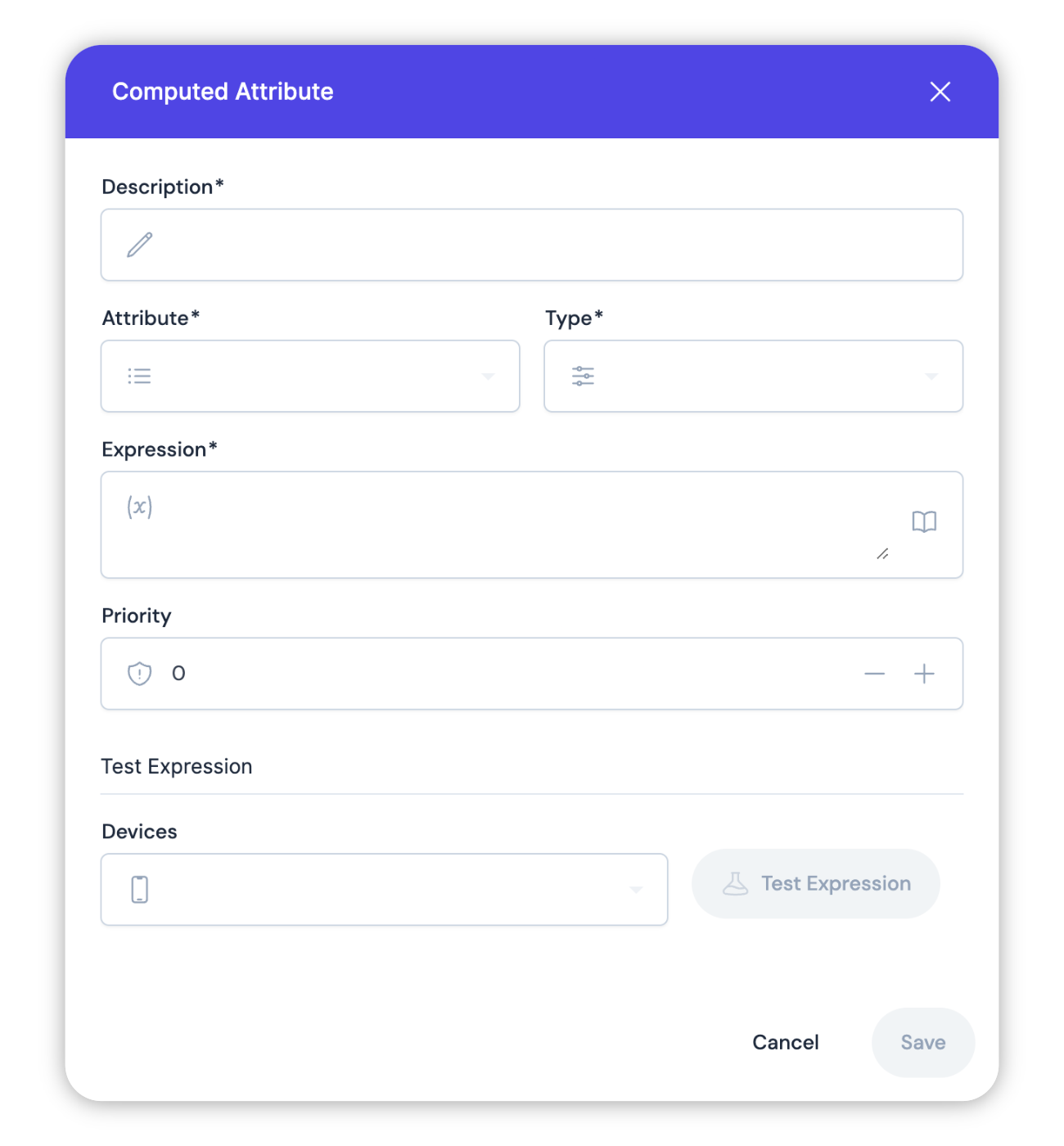
Each computed attributes contains 4 fields:
- Name
Description- Type
- string
- Description
- A human readable description
- Name
Attribute- Type
- string
- Description
- Name or key of the resulting position attribute
- Name
Expression- Type
- string
- Description
- An expression to compute, written in JEXL
- Name
Priority- Type
- number
- Description
- Priority of the computed attribute
- Name
Type- Type
- number | boolean |string
- Description
- Output data type (number, boolean or a string)
You can pick from a list of standard attributes with predefined types, but it is also possible to define your own custom attribute.
Expressions
Expression is the core of computed attributes feature. It uses a very flexible JEXL syntax to compute the result.
All position fields are mapped as primitive objects (latitude, longitude, speed, course etc), they are always defined. Position attributes also mapped as primitive objects (satellites, battery, ignition, distance etc). The set of attributes depends on what the device is reporting.
An empty result of computation (null, but not an empty string) will not be stored to position and will clear any existing attribute with the same name.
The expression can be tested on the last position of some device.
Using undefined variables will create warning messages in the log. If you are not certain that the device always reports an attribute, then it is recommended to wrap it in a ternary operator to check if the value is present. A ternary operator is a conditional check with examples for this shown below.
Examples
You have a device connected to a vehicles electrical system and report its voltage in the power attribute, but do not have separate ignition status input. You can try to use the following computed attribute to assign a value to the ignition attribute:
Ignition
power ? power > 13.2 : null
Boolean
You have a device with some configurable inputs and you connected ignition wire to second one.
It is reported as boolean attribute in2
Ignition
in2 ? true : false
Boolean
or as 0/1
Ignition
in2 ? in2 == 1 : false
Boolean
or as a second bit in flags attribute
Ignition
flags ? (flags & 2) != 0 : false
Boolean
You have a device with some configurable analog inputs and connected fuel sensor to first one. Let's say analog input has 10 bit resolution (0..1024) and maximum value 20 volt. Fuel sensor report rest of fuel as voltage from 0 to 12 volts, where 0 V is empty and 12 V is full 40 liters tank.
Fuel
adc1 ? adc1 * 0.065 : null
Number
Here is a non standard case. There is a device that des not have any inputs to determine ignition. It has an internal battery, and its charger connected to ACC wire inside car. It was noticed that when device is charging it reports 4.18 V battery voltage, if not charging then voltage usually less than 4.18 V. Sometimes it is fluctuating and speed might be used for additional correction.
Ignition
battery < 4.18 && speed < 1 ? false : true
Boolean
Advanced Expressions
Using new(), you can create new instances of various Java objects using a fully-qualified java class name or Class. For example, new("java.lang.Double", 10) returns 10.0 double value.
new operator has to be enabled using the processing.computedAttributes.newInstanceCreation configuration option.Currently it can only instantiate Double, Float, Integer, Long, Short, Character, Boolean, String and Byte JEXL syntax allows the declaration of local variables within the expression using the var keyword followed by the variable name and its initial value. Local variables can be of any primitive data type, including boolean, numeric, and string types, as well as arrays of primitive types.
Local variables are disabled by default in Onemap8 and must be enabled in the server configuration file by adding the following line:
<entry key='processing.computedAttributes.localVariables'>true</entry>
For example, you have a device connected to a vehicle's systems and report its speed in the speed attribute. You can use the following computed attribute to signal a speeding alarm:
var maxSpeed = 90 // set the maximum allowed speed in km/h
speed > maxSpeed ? speed - maxSpeed : null
Loops in JEXL allow you to iterate over collections and perform operations on each element. However, they can only be used if enabled in the configuration file with the line:
<entry key='processing.computedAttributes.loops'>true</entry>
JEXL supports for, do while and while loops. In addition, you can also use the break and continue keywords to control the flow of the loop.
Loop examples:
var x = 2;
while (x lt 1024) { x = math:pow(x,2); }
x
var list = [1, 2, 3, 4, 5];
var result = 0;
for (var item : list) {
  result += item;
}
result